












Log into your account on the event management site
Click on “My Teams”
Select the team you wish to invite parents to
Select your roster
Select your roster
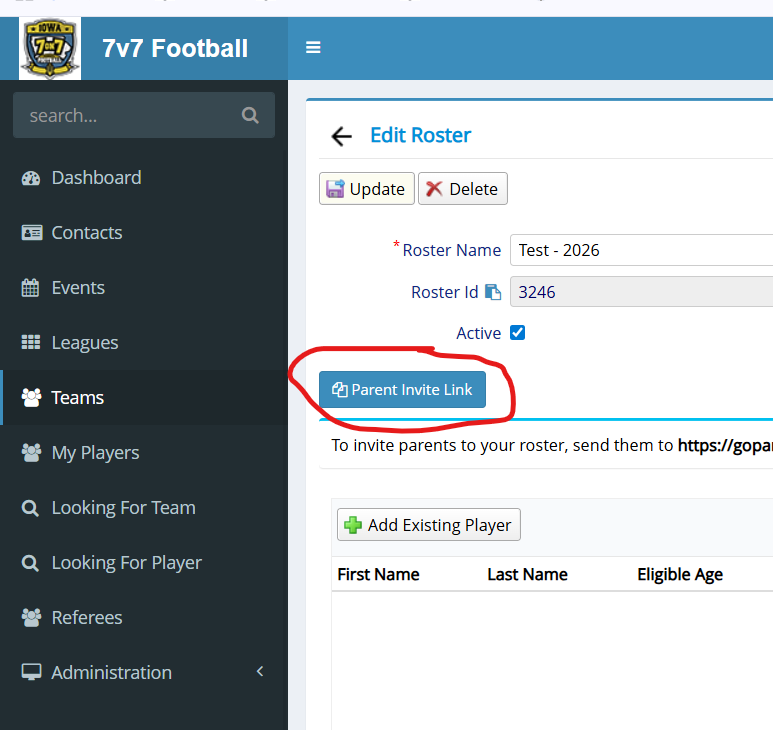
Click "Parent Invite Link" which will copy the invitation to your clipboard, then paste and send that to your parents! Make sure to do this for every team, as every roster has a different ID.
You are done! Parents will create an account and add their player to your team. Nothing else is required of you. If you are the parent of a player as well as the team admin, continue this thread to see how to add them to your team after this is done.


Select “My Players”


Fill out the player profile and hit save.
Age verification, essential forms, and $15/player/year Stripe fee must be completed before your player can be participate in their first tournament. This is a once yearly fee.


